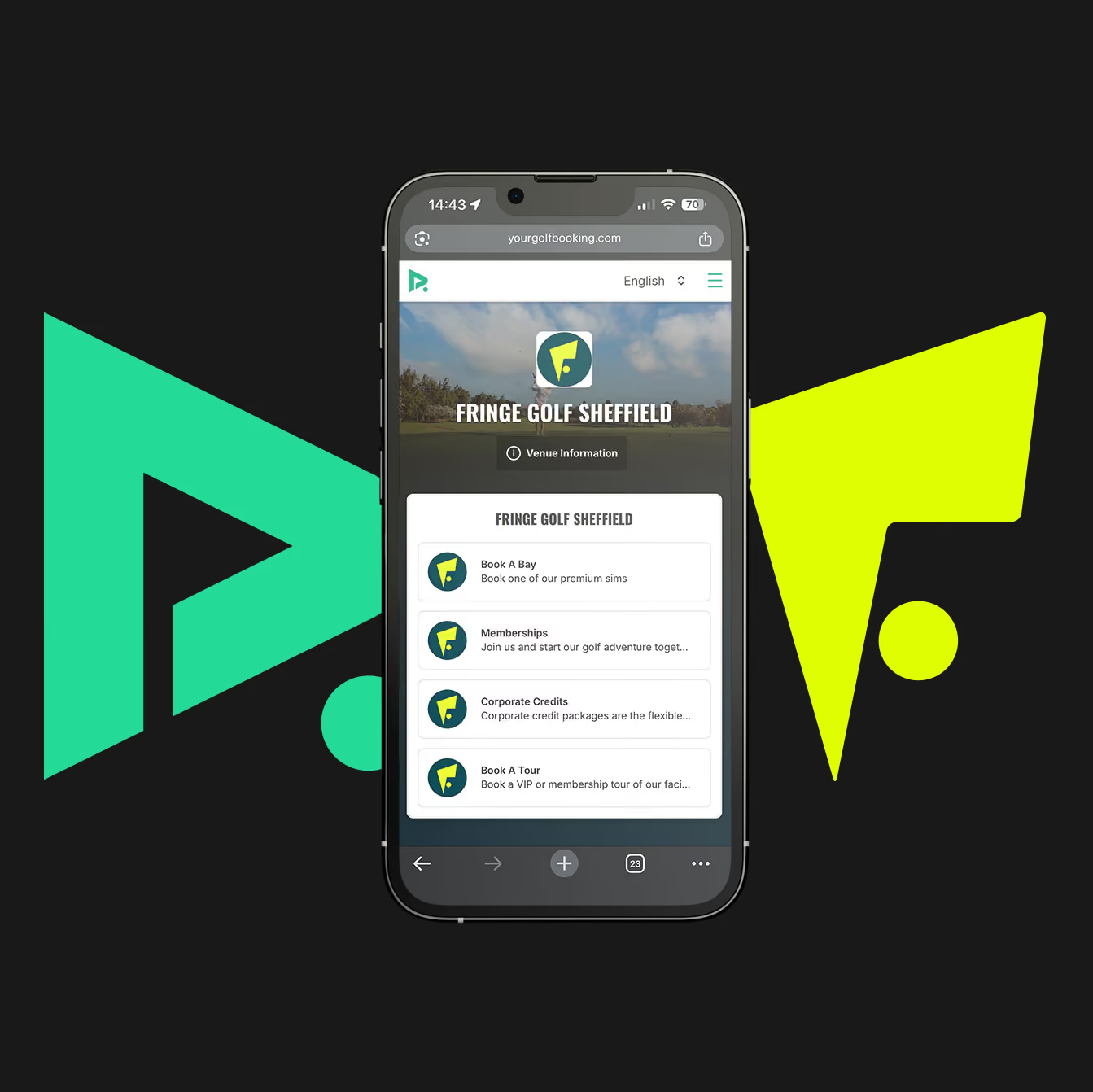
Book & Play is the simplest way to get onto a bay at Fringe. Choose your bay, date and time, then complete your booking through YourGolfBooking.
Go to Fringe Golf on YourGolfBooking by following any Book Now link on the Fringe Golf website.
Select ‘Book a Bay’, choose your preferred bay, date and time, then continue to checkout.
Complete your booking and create or log into your YourGolfBooking account so everything is managed in one place.
Purchase Winter Pro 8 or Winter Tour 16 and your included simulator hours will be added directly to your YGB account, ready to use whenever you book.
Head to Fringe Golf on YourGolfBooking and select Packages.
Choose Winter Pro 8 or Winter Tour 16 and purchase using the YGB account you normally use at Fringe.
Your 8 or 16 included simulator hours will be added to that account.
When you're ready to play, head to Book a Bay and choose Standard Simulator Session.
Choose your time, booking length and number of golfers as normal. YGB will give you the option to use your available package hours towards the booking.
Use one hour at a time or combine your hours into a longer booking.
Important: make sure you’re logged into the same YGB account used to purchase the package.
Membership works in a similar way to Golf Packages, but your included Member sessions refresh every month.
Head to Fringe Golf on YourGolfBooking.
Select Cub Membership and choose Fringe Golf Club Membership.
Purchase Membership using the YGB account you normally use.
Once active, head to Book a Bay and select your new Member booking option that will now be available.
Choose your bay, time and number of players as usual and get booked in.
Your included Membership sessions will appear in your YGB account and refresh each month.
Important: make sure you’re logged into the same account used to purchase the Membership.
Once your YGB account is set up, simply log in, head to Book a Bay, and manage your Fringe Golf activity from there.
Your one-off bookings, package hours and Membership sessions are all linked to the YGB account used to purchase them, so everything stays together in one place.